

Matrix Effects
A desktop and plug-in effects processor designed to keep its structure and controls visible at a glance.
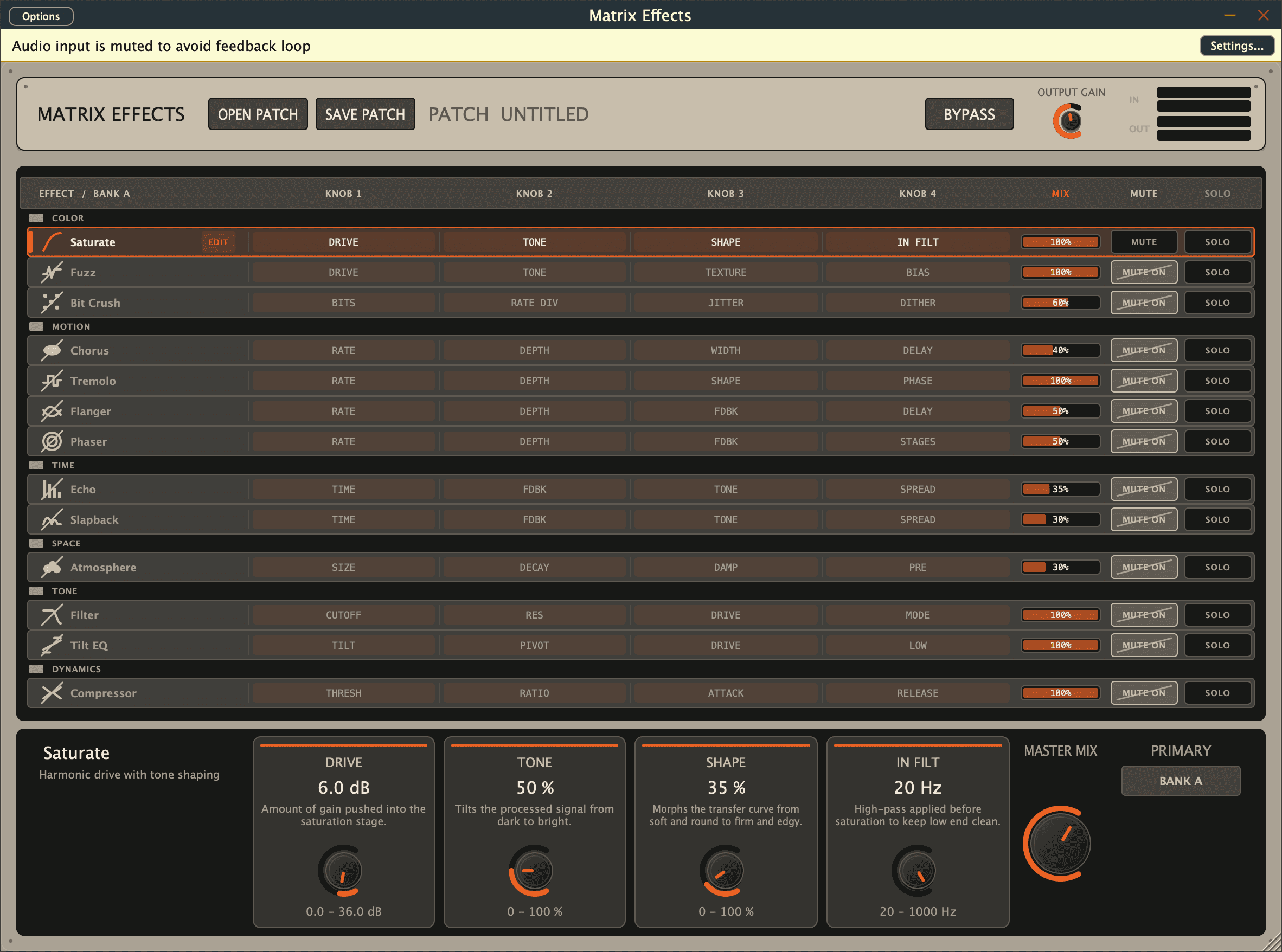
Origin.
A hardware effects unit caught our attention because its whole design could be read at a glance: the effects, their parameters, and the controls for those parameters were all visibly aligned.
Matrix Effects explores how much of that directness can survive in software.
How it works.
A cross-platform effects project for standalone, AU, and VST3 workflows on macOS and Windows.
Current state
Status / Beta
Beta.
Beta builds are available. The release remains an active experiment rather than a finished product line.
Beta builds
Current standalone and plugin releases.
Download Matrix Effects.
Beta builds are free. An optional contribution supports further work on the project.
Pay what you like
Choose your price before downloading.
Matrix Effects can be downloaded for free. Keep the default $0 selection, or choose a contribution amount before selecting a build.
Selected: $0
macOS
Loading release metadata...
Windows
Loading release metadata...
Installing on macOS
Version 0.1.1 and newer include an installer for Apple Silicon and Intel Macs. These beta builds are ad-hoc signed, without Developer ID signing or notarization.
- Quit Ableton Live and other audio hosts, then extract the macOS ZIP.
- In Terminal, type
bashfollowed by a space. DragInstall Matrix Effects.commandfrom the extracted folder into the window, add a space followed by--allow-unsigned, and press Return. This flag explicitly accepts a build without Developer ID signing or notarization. Using Terminal also works if Finder blocks opening the downloaded script. - The installer places the Audio Unit in
~/Library/Audio/Plug-Ins/Components, the VST3 in~/Library/Audio/Plug-Ins/VST3, and the standalone app in~/Applications.
Find it in Ableton Live
Restart Live. In Preferences or Settings, open the Plug-Ins section and enable Audio Units (v2) and VST3 System Folders. Hold Option while clicking Rescan for a full scan. In older Live versions, these controls are under File/Folder. Then look for Matrix Effects under Dream Build Repeat in the Plug-Ins browser and add it to an audio track.
Ableton's plug-in troubleshooting guideBuild notes
From the work.
Keep the system visible
The interface should show how an effect is organized before anyone reaches for documentation. The hardware inspiration did that immediately.